
If you are using Chative (or planning to), there is an easy way to save 10% off your next subscription. Chative.io is an omni-channel messaging platform and AI chatbot solution built for e-commerce teams to manage customer conversations across channels like:
- Social media
- Website chat
Below is the simple step-by-step process to apply the Chative promo code, plus the key code itself.
Table of Contents
- What discount you get with the Chative coupon
- How to use the Chative coupon code (step-by-step)
- Chative coupon code to use
- Quick tips before you checkout
- FAQ
- Ready to save 10%?
What discount you get with the Chative coupon
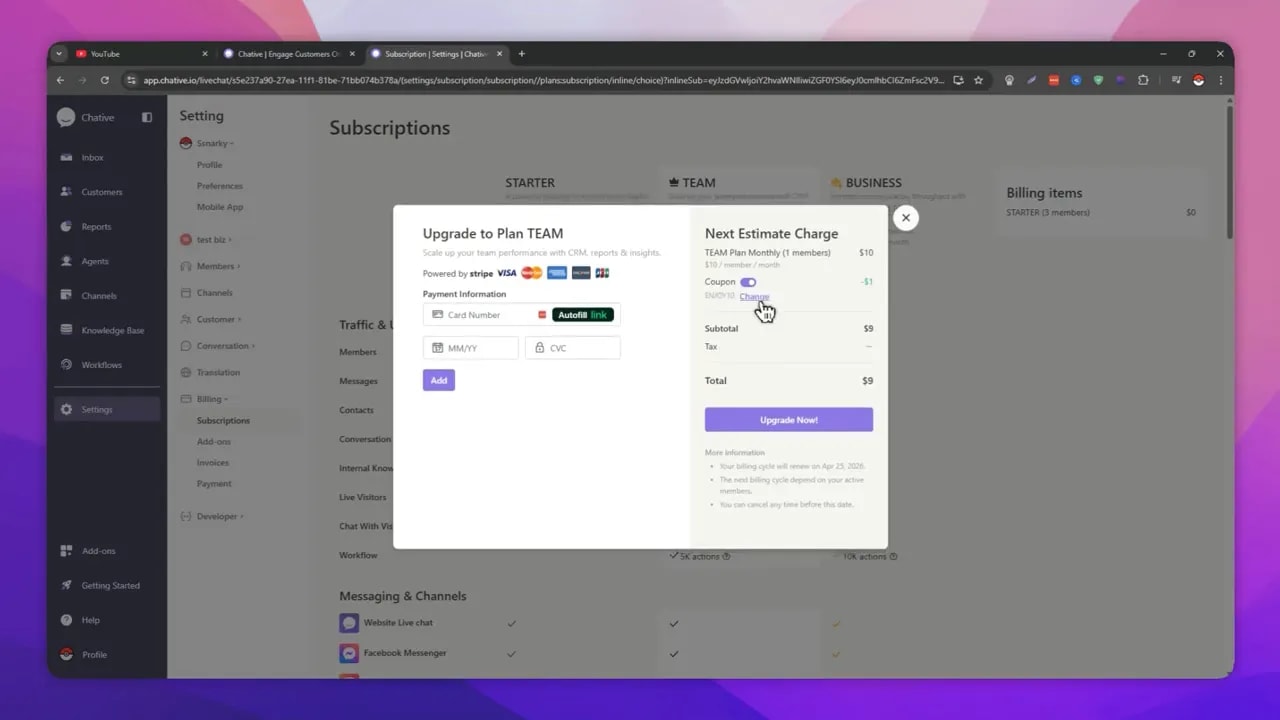
The promo code provides 10% off your subscription. Depending on your plan, that can equal about $1 in savings for the example shown, while keeping the same checkout flow.
Just apply the coupon during billing, then continue through normal checkout.
How to use the Chative coupon code (step-by-step)
Follow these steps to apply your coupon inside your Chative account:
-
Open the Chative sign-in page using the link provided on the deal source page. Then click Log in.
-
Sign up or sign in using your Google account (fastest option).
-
Once you reach the dashboard, click Settings.
-
Go to Billing.
-
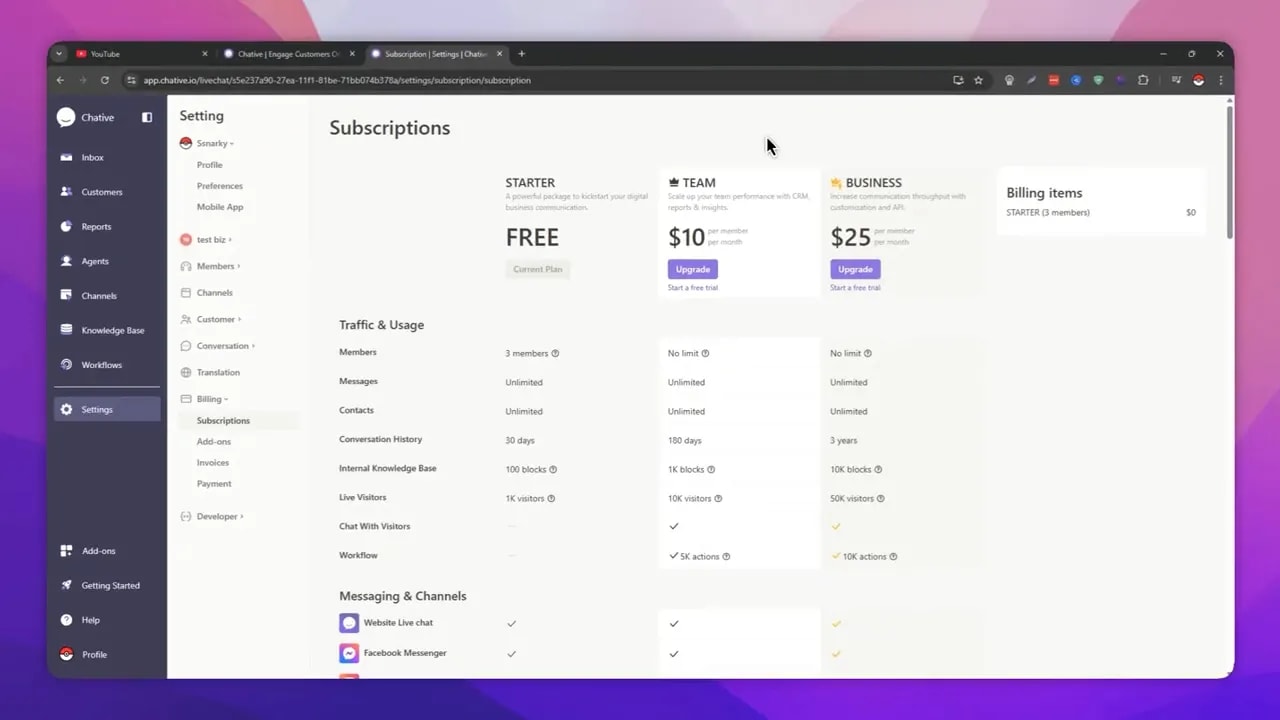
In Billing, open the slide-down and click Subscriptions.
-
Choose Upgrade for your plan (for example, Team or Business).
-
In the upgrade popup, click Coupon.
-
Turn on the coupon/promo toggle and enter the promo code below.
-
Confirm the discount appears (you should see 10% off applied), then continue with the normal checkout process.
Chative coupon code to use
Use this code in the coupon field:
Code: ENJOY10
With ENJOY10, you should see the system register a 10% savings before you finish checkout.
Quick tips before you checkout
- Apply the coupon in Billing: The coupon is entered during the Subscriptions upgrade flow.
- Select the correct plan: Whether you are upgrading for Team or Business, make sure you open the upgrade popup for that plan first.
- Keep an eye on the discount: The page should show that 10% has been applied before you proceed.
FAQ
What is Chative?
Chative (Chative.io) is an omni-channel messaging platform and AI chatbot solution designed for e-commerce. It helps businesses manage customer conversations across social media, website chat, and even WhatsApp.
How much does the Chative coupon save?
The promo code applies 10% off your Chative subscription.
What coupon code should I enter?
Enter ENJOY10 in the coupon field during the subscription upgrade process.
Where do I apply the coupon?
Go to your Chative dashboard, then Settings → Billing → Subscriptions. Choose Upgrade, open the popup, click Coupon, and enter the code.
Does using the coupon change checkout?
No. After the coupon is applied and the discount shows, you just continue through the normal checkout process.
Ready to save 10%?
Apply ENJOY10 in your Chative subscription upgrade flow to unlock 10% off, then finish checkout like usual. It is a simple way to reduce the cost while getting access to Chative’s omni-channel customer messaging and AI chatbot capabilities.